When it first unveiled Windows 10 last year, Microsoft
briefly talked about a new feature called Continuum, but back then it
was in the context of switching UIs on convertible devices based on
whether you have the keyboard connected or not. And Continuum can still
do that, but today at its Build conference, the software giant has
announced a more interesting use case, with Continuum for phones.
This kicks in when you connect a smartphone running
Windows 10 to a monitor. The UI you’ll see on the
monitor won’t just be a 1:1 representation of the
handset’s screen. Instead, the phone is basically turned into a
makeshift PC, which will even work with a mouse and keyboard for
interaction.
Initially, you see your phone’s Start screen on the left side of the
monitor, but if you open a universal app that will take over the whole
width of the monitor, as you can see from the screengrab above. So
you’ll have no wasted space, and you’ll be able to do some work in a
much easier way than if you were to simply glance at a representation of
your phone’s screen.
Furthermore, all the usual PC keyboard commands will work in this
mode, so you can use Ctrl+C for copying, Ctrl+V for pasting, and so on.
Microsoft says it wants to let smartphones scale up to a full PC-like
experience.
Unfortunately it looks like existing Windows Phones,
once updated to Windows 10, won’t be able to take
advantage of this feature. That’s because it requires new hardware in order to drive the dual-screen experience.
You may remember that Ubuntu thought about
something similar a few years ago, but the Ubuntu for Android project
flopped eventually – perhaps because it was trying to do more (run
‘full’ Ubuntu when the phone was docked), but also because it wanted to
pair two different operating systems from two different companies on the
same device. In Microsoft’s case, it’s all Windows, so Continuum has no
reason not to be successful.




 >

 >


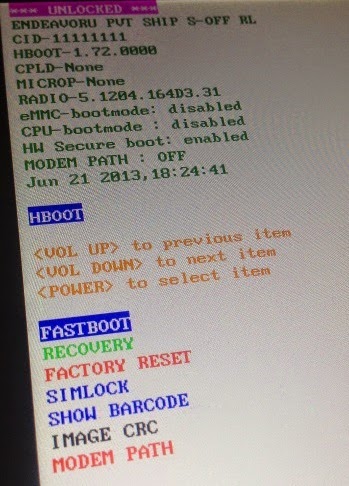
 i bet many people are just seeing something like this for the very first time while you have been wondering why your Android device is taking forever to open a page or take you to the next level.